//enterprise_operations · agent_os

The only AI agent for enterprise operations

WIQ helps the world's best companies scale complex workflows across the long-tail of operations work. It learns how your team actually works, then creates and maintains a fleet of agents to get it done.

//backed_by
Insight Partners logo
HubSpot Ventures logo
468 Capital logo
FirstMark logo
Dropbox logo
//the_problem

AI gets lost in the complexity of ops.

Thousands of processes, each run a little differently across legacy tools. A general agent doesn't know your tools or how your team works, so it stalls right where the real work is.

// one_task SAP · Coupa · Portal · NetSuite
//the_solution

Watch. Instruct. Learn. Repeat.

WIQ watches how the work is really done, builds the agents, and keeps them running. One loop across every operation.

// watch_to_run capture · blueprint · monitor
01

Watch the work.

Observe how your team really does the job, across every tool and variation.

02

Create and power the agents.

Turn what you see into agents with the tools, context, and policy to run.

03

Maintain, repair, update.

Work changes. The agents catch new variations and fix what breaks.

//the_platform

WIQ agent OS

One platform, a fleet of agents for every operations team. WIQ watches how each team works, builds the agents, and runs the whole fleet from one view.

//blueprints

Turn real work into working agents.

Each process becomes a blueprint of skills, tools, and guardrails your agents run on.

App Time Spent
  • SAP Ariba 1d 2h 14m
  • ServiceNow 19h 40m
  • Workday 12h 30m
  • NetSuite 8h 15m
  • Coupa 5h 02m
  • Okta 2h 48m
discovery

Always-on insight into how work happens.

WIQ watches across browser and desktop as work happens, so you see how every process actually runs and what is ready to automate.

99.2%SLA met
13mAvg. handle
100%Conformance
monitoring

Run every operation from one view.

SLAs, handle time, and conformance in one place, whether a person or an agent did the work.

App Blocklist
Office
  • Adobe Acrobat
  • Apple Pages
  • Microsoft OneNote
Communication
  • Apple Mail
  • Messages
  • Signal
governance

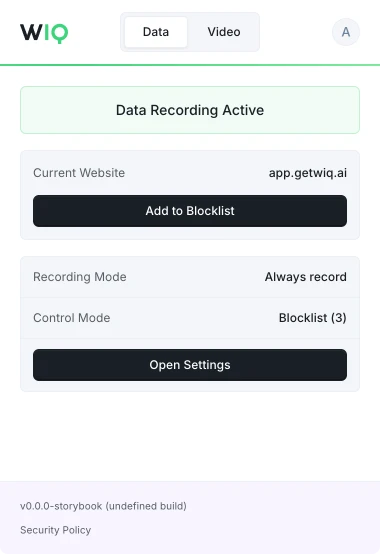
Keep your data under your control.

Allowlist and blocklist what gets captured, scoped to apps, domains, and time.

Chat Cowork Code
Starting with SUP-4812 (Refund Request)
Searched Gmail for “cancel” to find the thread.
Opened the email to review the request.
Stripe.cancelSubscription not found.
Can’t run the Stripe command - use Stripe’s user portal instead?
Yes, please.
Opened Stripe’s user portal to cancel.
Update your WIQ blueprint to always use the portal?
Yes.
maintenance

Agents that keep up as work changes.

When a process shifts, WIQ catches it and the blueprint updates itself.

Agents
In Progress
  • Vendor Onboarding Processing
    OPS-4851
  • Compliance Filing Processing
    OPS-4840
  • Bank Closure Processing
    OPS-4835
  • Entry Registration Processing
    OPS-4821
Completed
  • Reviewing Supplier Proposals
    OPS-4812
runtime

Clear the backlog with a fleet.

Launch many agents at once, locally where the work happens or in your cloud.

// runs_on

Claude Claude
OpenAI OpenAI
Copilot Copilot
Workato Workato
n8n n8n
//teams_that_run_on_wiq

Arm your team with a fleet of agents.

Each team brings its own systems and exceptions. WIQ learns them and runs the work.

A warehouse aisle lined with tall racking stacked with goods
Procurement

Confirms POs, chases missing confirmations, and clears exceptions.

SAP Ariba Coupa Jaggaer Ivalua GEP SMART Zycus
A busy cross-dock trailer yard with rows of parked trailers and trucks
Logistics

Tracks shipments, resolves carrier exceptions, and matches paperwork.

Oracle OTM Blue Yonder Manhattan Associates E2open project44 MercuryGate
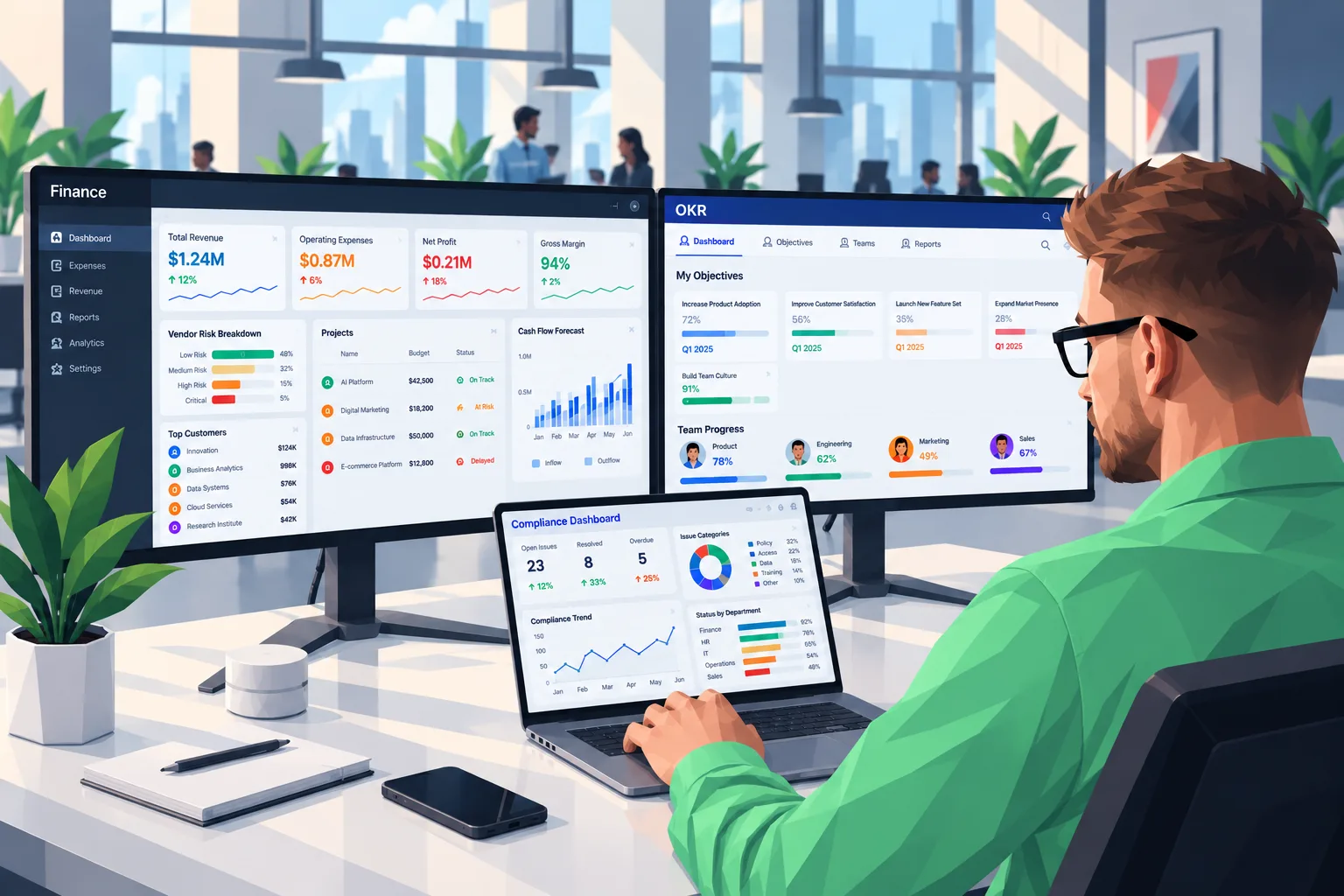
A finance team working at desks with dual monitors in an open office
Accounting

Reconciles accounts, posts entries, and pulls the close forward.

SAP S/4HANA Hyperion BlackLine NetSuite Workiva Trintech
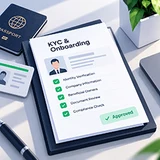
Onboarding

Collects documents, runs KYC checks, and provisions access.

Workday SuccessFactors SailPoint Okta CyberArk Saviynt
Risk

Reviews exceptions, flags what matters, and routes the rest.

ServiceNow RSA Archer MetricStream Pega OpenText IBM OpenPages
Invoicing

Reads invoices, matches them to POs, and opens disputes.

Concur Tungsten Esker HighRadius Bottomline Kofax
//trust_and_reliability

Built for enterprises that take data seriously.

Granular capture controls, conformance monitoring on every agent run, and governance that scales with the fleet.

SOC 2 Type II compliance badge
GDPR compliance badge
CCPA compliance badge
capture_controls

You decide what is captured

Granular allowlist and blocklist controls, scoped to apps, domains, and time periods.

conformance

Every run is checked

Conformance monitoring on every agent run. Each agent's chain of thought is checked against its blueprint.

compliance

Compliant by default

SOC 2 Type II, GDPR, and CCPA. Data residency and retention configured to your policy.

deployment

Runs where you want

Locally where the work happens, or in your own cloud. The work never has to leave your environment.

//faq

Frequently asked questions

Privacy & data
Is my data secure and private? +

Yes. WIQ is SOC 2 Type II certified and GDPR compliant. We work with clients that have strict privacy requirements in the US and internationally. All data is encrypted in transit and at rest, and we support configurable data residency and retention policies.

What data does WIQ capture? +

WIQ captures browser and desktop interactions like clicks, navigation, and page content to reconstruct how processes are executed. You have full control over what gets captured through allowlists, blocklists, and capture windows scoped to specific apps, domains, or times.

Will my data be used for performance management? +

No. WIQ exists to reconstruct processes and help you automate them. We do not build features for individual performance scoring or surveillance. Individual data can be anonymized and aggregated by request.

Platform & integrations
What agentic platforms does WIQ support? +

WIQ generates blueprints optimized for the major agentic platforms, including Claude, Workato, and Microsoft Copilot, so you can deploy on the platform your enterprise already uses.

What is a blueprint? +

A blueprint is everything an AI agent needs to do the job: skills, tools, and integrations, all built from real human examples of how the process is actually performed.

What tools and systems does WIQ work with? +

WIQ captures data from any browser-based application and most desktop apps on macOS and Windows. If a required tool doesn't exist, WIQ's builder helps you create it.

Process mapping & discovery
How does WIQ discover processes? +

A lightweight browser extension and desktop app passively capture human interactions, then WIQ clusters them into a structured process report with visual graphs, step breakdowns, and handle time measurements.

Do users have to change how they work? +

No. WIQ maps work passively while people work normally. There is no new workflow to adopt, and a single week of data is enough to map variations and identify bottlenecks.

Can I map a single process instead of my whole operation? +

Yes. Use Quick Capture to record a single process end-to-end, and WIQ generates a full blueprint from that one run. Ideal for ad hoc automations.

Blueprints & automation
Do I need to write automation specs manually? +

No. WIQ generates blueprints automatically from observed human work. You do not need to write skills, document steps, or spec out agent behavior by hand.

What happens when a process changes? +

WIQ continuously monitors how work is done, so when a process changes, the corresponding blueprint updates itself to reflect the new steps, tools, or workflows.

How does WIQ calculate time savings? +

WIQ measures actual human handle time per process by tracking active work time, not ticket open-to-close. It then estimates the share of cases that are automatable and the handle time that would be saved.

Deployment & monitoring
How do I deploy agents? +

Connect your agentic platform to WIQ via MCP. The platform retrieves the relevant blueprint and runs agent sessions against your task queue. WIQ provides the process context and monitoring.

Can I run multiple agents at the same time? +

Yes. Launch concurrent agent sessions that work through the backlog in parallel. Each agent follows the right blueprint and operates autonomously until it hits a checkpoint or escalation.

How does WIQ monitor agent performance? +

WIQ tracks handle time, SLA compliance, and conformance to the blueprint for agents and humans alike, so you can compare performance side by side across any process.

Getting started
How long does setup take? +

Installing the browser extension and desktop client takes a few minutes per user. Org-level configuration (teams, roles, privacy policies) is typically done in under an hour.

Do I need engineering resources to get started? +

No engineering is required for process mapping. The extension installs like any Chrome extension and the desktop client is a lightweight download. Connecting an agentic platform may involve your IT administrator depending on available MCPs.

//get_a_demo

Pick a team. We'll show you how it runs on agents.

Bring your messiest process.

Get a demo