







 WIQ Agent
  M365 Copilot
  Claude
  OpenAI Codex
  Workato
  Generic MCP
 Capture controls
Allowlist and blocklist by app, domain, and time window. Nothing outside the policy is ever recorded.

For consultants and transformation partners who need to understand a client's operations quickly, build defensible business cases, and prove their work delivered results.

 Open purchase request PR-48217 Steve · ServiceNow 1m 48s
  Vet supplier Tri-State Industrial Maya · SAP S/4HANA 1m 11s Approve requisition RQ-6218 Daniel · SAP Ariba 39s Create PO-91042 from RQ-6218 Priya · SAP Ariba 21s Post goods receipt GR-5530 Luis · SAP S/4HANA 54s
  Match invoice INV-2291 to PO Maya · Microsoft Excel 1m 26s Onboard supplier Delta Valve Co. Priya · SAP Ariba 1m 22s
  Answer supplier inquiry on PO-90988 Steve · Microsoft Outlook 24s
  Review contract C-2207 for renewal Daniel · SharePoint 33s Open purchase request PR-48231 Luis · ServiceNow 1m 10s Check cost center MNT-214 Maya · SAP S/4HANA 53s Pull Q3 spend by category Priya · Microsoft Excel 49s Approve requisition RQ-6224 Daniel · SAP Ariba 1m 5s Match invoice INV-2304 to PO Steve · Microsoft Excel 18s Update savings report for Q3 Luis · SharePoint 33s
 Purchase Request Intake
Supplier Vetting
Requisition Approval
PO Creation
Goods Receipt
Invoice Matching
Supplier Onboarding
Contract Renewal
Performance Review
Supplier Inquiries
Spend Data Pull
Category Analysis
Savings Report
WIQ ranks processes by handle time and automation potential, giving you a quantified view of where improvements will have the most impact.
Build business cases your client's CFO can act on.
Discovery
Generate Blueprint
Optimize & Refine
Deploy & Test
Deploy to Production
Deploy WIQ across a client team and get a complete process map within 7 to 10 days, including every workflow, variation, and measured handle time. No lengthy interview cycles or workshop facilitation required.
Each blueprint breaks the process into ordered steps – what it reads and checks, what an agent can handle, and where human input is required.
 ServiceNowSharePoint
Read ServiceNow request, quote, quantity, delivery location, and cost center. Return missing fields to the requester.
SAP AribaSAP S/4HANAExcelSAP AribaMicrosoft OutlookServiceNowSAP AribaDocusignServiceNowSAP AribaServiceNowSAP AribaSAP S/4HANARequired tools and integrations.
Purchase intake, attachments, requester details, and case status
Contract schedule, requisition preparation, approval status, and PO reference
Supplier and accounting master-data checks
Quote clarifications and supplier correspondence
Budget and cost-centre lookups
Approved catalogue, supplier policy, and vendor contracts
Supplier agreements signed before the PO
What happens when automation can't or shouldn't proceed on its own.
Hold submission until the requester or supplier supplies written clarification.
Route to supplier onboarding; do not alter vendor or bank master data.
Link the existing requisition and ask the buyer whether any change is needed.
Hard limits the automation must not cross.
No self-approval and no purchase splitting to evade thresholds.
Use the established Ariba-to-ERP flow; do not create a second PO independently in the ERP.
Do not report supplier acceptance until an acknowledgment is actually received.
See what your blueprints look like.
Book a demoAs WIQ continuously maps your operations, new blueprints are generated as new processes are discovered. Blueprints update themselves when workflows change, so scaling automation does not mean starting over.
Resolution Time & CSAT / Month
WIQ continuously tracks process metrics, so you can measure exactly how performance changed after your recommendations were implemented. Deliver concrete proof of value at the end of every engagement.

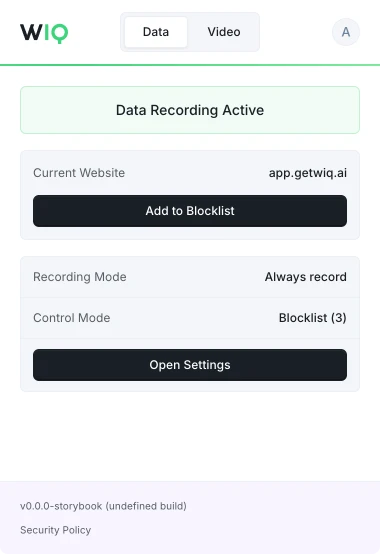
WIQ is built for enterprises that take data privacy seriously. Everything runs within a security framework designed for regulated industries.
Allowlist and blocklist by app, domain, and time window. Nothing outside the policy is ever recorded.
Scope the tools each Agent can reach and the actions it can take. Set the approval gates and escalation paths before it runs.
Every run is checked against the approved blueprint. Deviations are flagged and exceptions route to the right person.
Run locally where the work happens or inside your own cloud. The work never has to leave your environment.
Move purchasing work forward across supplier and system handoffs.
Handle the operational work behind customer conversations.
Bring case evidence together for investigation and review.
Coordinate customer checks, documents, and review.
Investigate failed payments and coordinate resolution.
Keep orders, carriers, and inbound receipts moving to plan.
See how WIQ speeds up discovery and proves the impact of your work.
Book a demo