



Capture controls
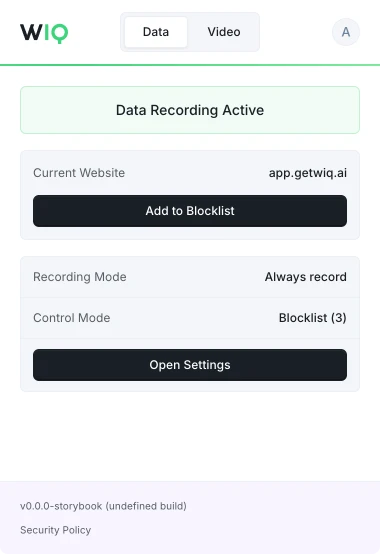
Allowlist and blocklist by app, domain, and time window. Nothing outside the policy is ever recorded.

Upload an SOP, share a screen recording, or let WIQ's lightweight extension learn processes as work happens. No interviews, no setup required.
 Microsoft
  Apple
Apple  Chrome Browser
  Edge Browser
 Purchase Request Intake
Supplier Vetting
Requisition Approval
PO Creation
Goods Receipt
Invoice Matching
Supplier Onboarding
Contract Renewal
Performance Review
Supplier Inquiries
Spend Data Pull
Category Analysis
Savings Report
After 7–10 days, WIQ identifies automation opportunities in the processes your team repeats every day. Turn them into automation blueprints, ready to deploy on the agentic platform you already use.
 WIQ
WIQ  Claude
  Microsoft Copilot
  OpenAI
  Workato
  n8n
n8n  Custom API
 See which apps your teams use most, uncover tools you didn’t know were part of their workflows, and identify where automation can have the biggest impact.
Cases / Week by day
WIQ measures active handle time per process – the time spent working, not waiting. Breakdowns by step and application reveal where effort concentrates and automation can have the biggest impact.

Decide what WIQ can see, what each agent is allowed to do, and where it runs. Every run is checked against the approved blueprint and logged.
Allowlist and blocklist by app, domain, and time window. Nothing outside the policy is ever recorded.
Scope the tools each Agent can reach and the actions it can take. Set the approval gates and escalation paths before it runs.
Every run is checked against the approved blueprint. Deviations are flagged and exceptions route to the right person.
Run locally where the work happens or inside your own cloud. The work never has to leave your environment.
WIQ combines observed work, existing documentation, and input from your team to build process blueprints.
A blueprint describes the process steps, required tools, and approval points. Your team reviews it before deployment.
Agents run in your existing AI platform using WIQ blueprints. Deployment depends on the tools and access each workflow needs.
Admins and users can define which apps and sites WIQ records using allowlists and blocklists.
WIQ surfaces process changes and helps your team review and approve blueprint updates before deployment.
Install the extension, work a normal week, and review what WIQ found.
Book a demo