PO cycle time: ↓ 70%
Early checks prevent a requisition from being rejected for missing details or an incorrect quantity. The buyer can submit it as soon as the supplier’s clarification arrives.

WIQ learns how your procurement team checks requests, resolves quote discrepancies, and routes approvals, then builds agents that prepare purchases across ServiceNow, SAP Ariba, and SAP S/4HANA.

What would you like to do?
A quote attached to a ServiceNow request rarely contains everything the buyer needs. They still have to check the supplier, validate the cost center, compare contract terms, and clarify any differences before submitting a requisition.
At high order volumes, that preparation takes a substantial share of the team’s time. WIQ learns the checks and follow-ups buyers perform so an agent can prepare a complete request and flag the questions that need a purchasing decision.
WIQ observes how a buyer takes a request from ServiceNow, checks supplier and cost-center records in SAP S/4HANA, and compares the quote with the Ariba contract. It also captures the email follow-ups needed to resolve differences in price, quantity, or units.
 Open PR-48217: twelve replacement pumps, quote attachedSteve · ServiceNow54s
 Check supplier active status and cost center MNT-210Steve · SAP S/4HANA1m 26sRead contract C-2201: $400 per pumpSteve · SAP Ariba47s
 Ask supplier whether quote unit BX means box or eachSteve · Microsoft Outlook39sReceive corrected quote Q-771R: 12 EA at $400Steve · Microsoft Outlook1m 4sSearch existing requisitions for supplier, quote, and request referenceSteve · SAP Ariba16sPrepare $4,800 requisition and route to maintenance budget ownerSteve · SAP Ariba1m 38sApprove requisition under the established purchasing workflowRosa · SAP Ariba57sRecord generated PO and track supplier acknowledgmentSteve · ServiceNow59s
The Blueprint includes the intake checklist, contract checks, duplicate search, and approval route. Procurement reviews those rules so the agent can prepare the requisition while the purchasing system continues to control approval and PO generation.
ServiceNowRead ServiceNow request, quote, quantity, delivery location, and cost center. Return missing fields to the requester.
SAP AribaSAP S/4HANACheck SAP S/4HANA supplier status and accounting references. Stop if the supplier is blocked or a master-data change is needed.
SAP AribaMicrosoft OutlookCompare the SAP Ariba contract with quoted price, unit, and quantity; get documented clarification through Microsoft Outlook.
ServiceNowSAP AribaSearch SAP Ariba for the source request and quote before preparing a requisition, attaching evidence and the existing approval route.
ServiceNowSAP AribaThe authorized budget owner approves in SAP Ariba. The agent cannot approve its own request or split the purchase to avoid a threshold.
A person signs off before this step completes.
ServiceNowSAP AribaSAP S/4HANARead the resulting SAP Ariba PO and transmission status before updating ServiceNow. Track supplier acknowledgment separately.
Required tools and integrations.
Purchase intake, attachments, requester details, and case status
Contract schedule, requisition preparation, approval status, and PO reference
Supplier and accounting master-data checks
Quote clarifications and supplier correspondence
What happens when automation can't or shouldn't proceed on its own.
Hold submission until the requester or supplier supplies written clarification.
Route to supplier onboarding; do not alter vendor or bank master data.
Link the existing requisition and ask the buyer whether any change is needed.
Hard limits the automation must not cross.
No self-approval and no purchase splitting to evade thresholds.
Use the established Ariba-to-ERP flow; do not create a second PO independently in the ERP.
Do not report supplier acceptance until an acknowledgment is actually received.
The agent runs in Claude with the ServiceNow, SAP, and Outlook access needed to prepare and submit validated requests. Budget owners approve purchases through the established workflow, and supplier-master changes follow their separate process.
 WIQ Agent
 Claude
 Microsoft Copilot
 OpenAI
 Workato
 n8n
n8n Custom APIWIQ Agent WIQ Claude Microsoft Copilot OpenAI Workato n8n Custom API
 Early checks prevent a requisition from being rejected for missing details or an incorrect quantity. The buyer can submit it as soon as the supplier’s clarification arrives.
Eight minutes less buyer work on each of 80,000 annual POs is worth $480,000 at $45/hour in loaded labor cost. The saving comes from preparation and rework, rather than a lower pump price.

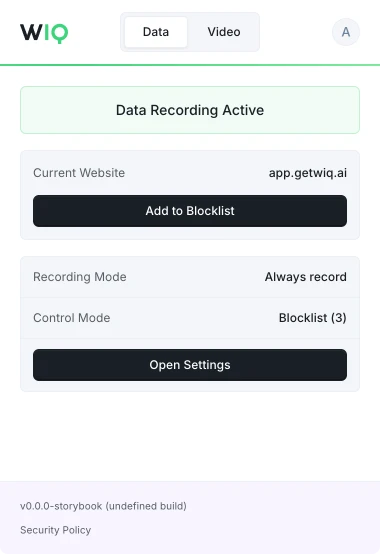
WIQ is built for enterprises that take data privacy seriously. Everything runs within a security framework designed for regulated industries.
Allowlist and blocklist by app, domain, and time window. Nothing outside the policy is ever recorded.
Scope the tools each Agent can reach and the actions it can take. Set the approval gates and escalation paths before it runs.
Every run is checked against the approved blueprint. Deviations are flagged and exceptions route to the right person.
Run locally where the work happens or inside your own cloud. The work never has to leave your environment.
Handle the operational work behind customer conversations.
Bring case evidence together for investigation and review.
Coordinate customer checks, documents, and review.
Investigate failed payments and coordinate resolution.
Keep orders, carriers, and inbound receipts moving to plan.
Schedule a discovery session with an AI architect.
Book a demo