
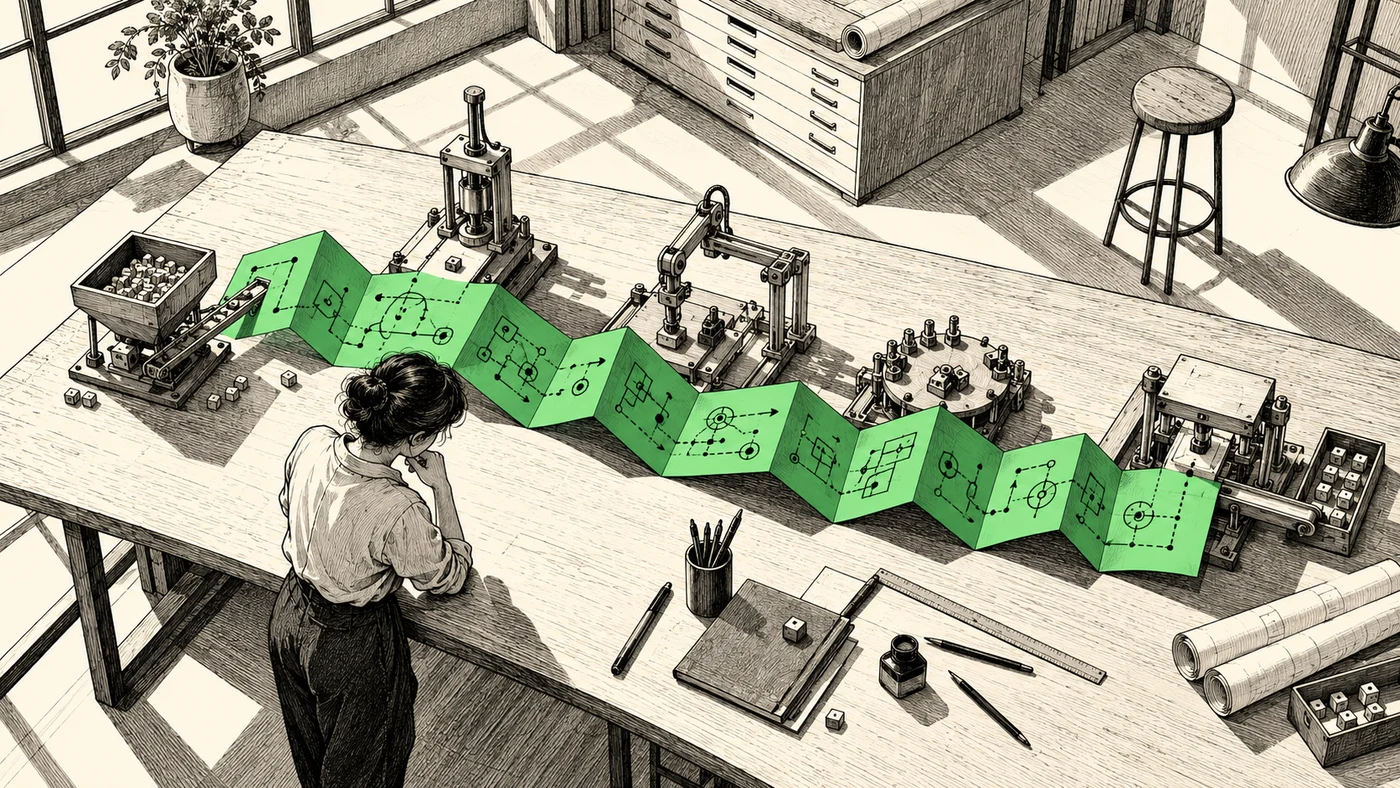
Task mining software records what people do across desktop and browser applications. It can show how employees copy order details into an ERP, check a price in a spreadsheet or search a supplier portal, even when those steps leave no record in the business system.
Choosing a tool starts with the work you need to observe. Recording ten examples of a known task is different from finding recurring tasks across hundreds of employees. The products below support different recording methods, operating systems and privacy controls. Their outputs also vary, from process maps and documents to robot projects and agents.
Quick comparison
| Tool | Capture approach | Operating systems | Main output | Builds agents | Public pricing |
|---|---|---|---|---|---|
| UiPath Task Mining | Users record known tasks; traces are merged | Windows recorder | PDD, SOP, UiPath Studio file | Through UiPath platform | No task-mining price |
| Microsoft Power Automate | Users record tasks in Power Automate for desktop | Windows, no ARM | Process map, app analytics, flow recommendations | Through Power Automate and Copilot Studio | Yes |
| Mimica | Continuous desktop recorder | Windows and macOS | Process maps, PDD, BPMN, SOPs | Yes (Maker) | No |
| Soroco Scout | Opt-in endpoint observation | Not published | Work Graph, cost per activity | Not in documented offering | No |
| Skan AI | Continuous endpoint observation | Not published | Process maps, variants, time allocation | Yes | No |
| WIQ | Browser extension and desktop app, plus uploaded recordings and SOPs | Not published | Agent blueprints with steps, tools and guardrails | Yes | No |
How we compared
We reviewed each vendor’s product documentation, privacy information and pricing in November 2026. This is a comparison of documented capabilities, not a hands-on benchmark or a ranking. WIQ publishes the article and is included.
We selected tools that analyze processes across recordings. Employee-productivity monitoring and tools that turn one demonstration into a how-to guide serve different purposes and are outside this comparison.
1. UiPath Task Mining
UiPath Task Mining runs inside UiPath Automation Cloud as part of UiPath Process Intelligence. It is designed for tasks you already know you want to study: UiPath’s documentation says it “is used when you know your task.”
Selected users, up to ten recommended, record traces of the task with a Windows desktop recorder. Only allowed applications are recorded, and recording begins only after the user authenticates and selects Start. PII masking is on by default, using Microsoft Cognitive Services, and can be adjusted per project. Projects can also anonymize who recorded the data.
UiPath uses machine learning to cluster screenshots and merge traces into a single task model with decision points where users diverge; up to 25 traces can be merged automatically. The result exports as a process definition document, an SOP, an image, or a UiPath Studio file that opens as a project stub, and can be sent to Automation Hub.
UiPath limits projects to 100 traces per project, 500 actions per trace, and a shared tenant limit of 50 GB a day, roughly 50,000 uploaded actions. The recorder is Windows-only, the service is cloud-only, and selector quality over Citrix or RDP is described as basic.
Pricing. UiPath publishes an entry plan from $25 per month but no task mining price; Standard and Enterprise plans are quote-only.
2. Microsoft Power Automate
Microsoft includes task mining in Power Automate alongside log-based process mining. Users record their tasks with Power Automate for desktop; Microsoft then analyzes the recordings together to produce a process map, an application analytics report, and suggested flows that recommend which connectors to use.
Recording runs in Power Automate for desktop, which supports Windows 10, Windows 11 and Windows Server 2016 through 2025, but not ARM devices. Recordings and their screenshots are stored in Dataverse.
Microsoft documents removing screenshots and text entries after recording: a reviewer selects a step and deletes the screenshot, or edits text by hand. The documentation describes no automatic redaction, so sensitive content is stored before anyone removes it. If your policy requires redaction before storage, that sequence may rule it out.
Teams can use the findings to build cloud and desktop flows within their existing Power Automate tenant.
Pricing. Power Automate Premium costs $15 per user per month, paid yearly, and includes process and task mining with 50 MB of storage per user, up to 100 GB per tenant. A Process Mining add-on costs $5,000 per tenant per month for 100 GB. Unattended robots are licensed separately at $150 per bot per month.
3. Mimica
Mimica records desktop work continuously and reconstructs processes without users tagging tasks. Its recorder can run on up to 10,000 screens, and since July 2026 it records natively on macOS, with Windows and Mac users recording into the same project.
The recorder captures clicks, keystrokes and actions across the desktop. Mimica’s privacy approach applies natural language processing to all recorded text, flags named entities and words not in the dictionary (which catches passwords and customer or transaction IDs), and converts flagged text to a one-way hashed digest. OCR identifies sensitive text in screenshots, which is then blurred. Employees can start, pause and stop recording, and applications and sites can be excluded before recording starts. Mimica states compliance with ISO 27001 and GDPR.
Mimica sells several components. Miner classifies tasks, separates value-adding from non-value-adding work and recommends whether GenAI, OCR, IDP or RPA fits each step. Mapper generates end-to-end maps with decision points, exceptions and variants, measuring each step’s time, cost, application, frequency and automatability. Outputs export as PDD, BPMN or CSV, and as SOPs for training. Measure tracks the impact of changes.
Maker builds agents from a discovered process map, generating agent code that is tested against real examples of the work, with a step to approve what the agent will do before it runs. Mimica does not name the runtime publicly.
Mimica reports 42,000 hours of potential time savings at an unnamed Fortune 100 pharmaceutical company. That figure describes the opportunity identified by the analysis, not savings already achieved.
Pricing. Not published. Mimica says it offers a free trial in some cases.
4. Soroco Scout
Soroco Scout observes work at the endpoint and builds a Work Graph covering both people and AI agents. It captures screens, fields, actions and applications from human work along with agent logs.
Soroco’s Scout privacy page says only opted-in data is collected, users can see the apps and URLs accessed and pause collection at any time, and sensitive information is scrubbed at the operating-system level. The page displays SOC 2 Type II, GDPR-ready, Cyber Essentials, ISO and BSI badges without naming certificate scope. Storage location, retention, encryption and key management are covered in Soroco’s data privacy FAQ and security FAQ; confirm the specifics for your deployment.
Scout reports cost per activity and cost-to-serve segmented by customer, SKU, channel and process, plus a natural-language query layer. Soroco’s separate Avali product models and costs a redesigned process.
Scout recommends what to improve and what to hand to agents; the Scout pages reviewed do not describe agent building or a runtime. Opt-in capture means sample coverage depends on who participates, so check for missing teams or activities before using the results to estimate total effort. The public pages state OS-level scrubbing without describing the mechanism, and pricing is not published.
5. Skan AI
Skan AI places a lightweight desktop agent on endpoints and observes clicks, applications and handoffs across mainframe, legacy desktop, VDI, web and office tools, without connecting to system logs.
Skan’s architecture keeps raw screens inside the customer’s environment. A gateway in the customer network anonymizes, pseudonymizes and redacts before abstracted metadata leaves. Customers choose which applications are observed and set retention by data category. Skan lists SOC 2 Type II, ISO 27001 and ISO 42001, with a detailed public description of where capture data is processed.
Skan produces process maps showing variants, exceptions and rework. It reports time spent by process, task and application, with recommendations and estimated returns for automation.
Skan builds and runs agents from observed patterns, business rules and pre-trained skills, with approvals, guardrails and system access set through configuration. Its listed agent use cases are concentrated in insurance: claims, first notice of loss, underwriting and contact center work.
Skan’s Definiti case study reports about 387 hours of work measured over three weeks and projects more than 14,000 hours a year of automation-ready effort across two workflows. The study projects those savings; it does not report that the company has achieved them.
Pricing. Not published; Skan provides custom quotes.
6. WIQ
WIQ is an AI agent platform for enterprise operations that uses task observation to build agent specifications. Teams can upload an SOP or a screen recording, or capture work as it happens with a browser extension and desktop app. Admins scope capture with allowlists and blocklists by app and domain and with time windows, and individual users can start, pause and stop their own capture. WIQ’s security page states SOC 2 Type 2 compliance, TLS 1.2 in transit, AES-256 at rest, and handling under the customer’s data residency and retention policies.
With live capture, after about seven to ten days of normal work, WIQ identifies automation opportunities and measures active handle time per process. The main output is a blueprint generated from observed executions: ordered steps, the tools each step uses, guardrails, escalation paths, a status per step (ready for an agent, manual or unverified), human-input points, and an estimate of time saved.
Approved blueprints deploy as WIQ agents or through Claude, Microsoft Copilot, OpenAI, Workato, n8n or another MCP-compatible platform, with checkpoints where agents pause for human review. Runs are checked against the approved blueprint and logged.
WIQ’s public material describes capture scope and user controls but does not describe field-level masking, so security teams should confirm how sensitive values are handled. WIQ does not publish prices. Teams that need PDDs for an RPA build or classic variant statistics will find more of that in Mimica or UiPath.
Privacy and capture compared
| Tool | Who starts capture | Scope control | Where sensitive data is removed | Published security assurances |
|---|---|---|---|---|
| UiPath | Recording user | Allowed applications | Masking on by default (Azure Cognitive Services) | Not reviewed here |
| Power Automate | Recording user | Recording session | Manual deletion after storage | Not reviewed here |
| Mimica | Continuous; user can pause | Excluded apps and sites | NLP hashing and screenshot blur | ISO 27001 (stated) |
| Soroco | Opt-in; user can pause | Opted-in data; users see apps and URLs accessed | OS-level scrubbing (vendor-stated, mechanism not described) | SOC 2 Type II badge; ISO, BSI and Cyber Essentials badges |
| Skan | Continuous | Customer-defined applications | Gateway inside customer network | SOC 2 Type II, ISO 27001, ISO 42001 |
| WIQ | Extension or desktop app, or upload; user can start, pause and stop | Allowlist and blocklist by app and domain; time windows | Field-level masking not described publicly | SOC 2 Type 2 (stated) |
GDPR and CCPA are laws, not certifications. The table separates vendor-stated audits and standards from capture controls. In Germany, the works council has a right of co-determination over technical systems designed to monitor employee behavior or performance, under Section 87(1) no. 6 of the Works Constitution Act. Settle scope, retention, individual traceability and pause rights with legal and employee representatives before any recorder is installed.
How to choose
Check the devices and applications first. UiPath and Microsoft’s recorders are Windows-only, so they will miss work performed on Macs. Mimica supports both. Ask vendors without a published support matrix to demonstrate capture on your actual applications, including any virtual desktops.
Next, have security review what happens to a sensitive value from the moment it appears on screen. Microsoft documents manual removal after storage; Skan describes redaction inside the customer network. Those are materially different approaches, even if both products offer privacy controls.
Run the trial long enough to include the variations you care about. One or two weeks may cover routine work but miss month-end activity. Ask employees to check the resulting process map for missing steps and incorrectly grouped tasks. Then test whether the output is usable by the team building the automation, whether that means a UiPath project, a process document or an agent blueprint.
If you also need to analyze ERP or CRM event logs, see the process intelligence software comparison and the process intelligence guide.
Common questions
What is the difference between task mining and process mining?
Process mining reads event logs that systems already write and shows where cases wait or deviate. Task mining creates a new record from what people do on screen and shows the work inside a step. Many projects need both.
Does recording a task make it ready to automate?
No. A recording shows actions but rarely the reason for a decision. Business rules, permitted changes, exceptions and completion criteria still have to be confirmed with the process owner before a robot or agent takes over.
How long does a task mining project take?
Published figures for a first view are measured in weeks: WIQ cites seven to ten days of normal work, Soroco cites two weeks to a full operational picture, and Skan’s Definiti project measured work over three weeks. Short windows can miss month-end and rare exceptions, so choose the period with the team that does the work.
Should we trust estimated hours saved?
Use them to prioritize what to investigate. Check whether an estimate measures active handling or elapsed time, which cases it covers, and what implementation and review effort remains. Validate savings after the change, not before.